
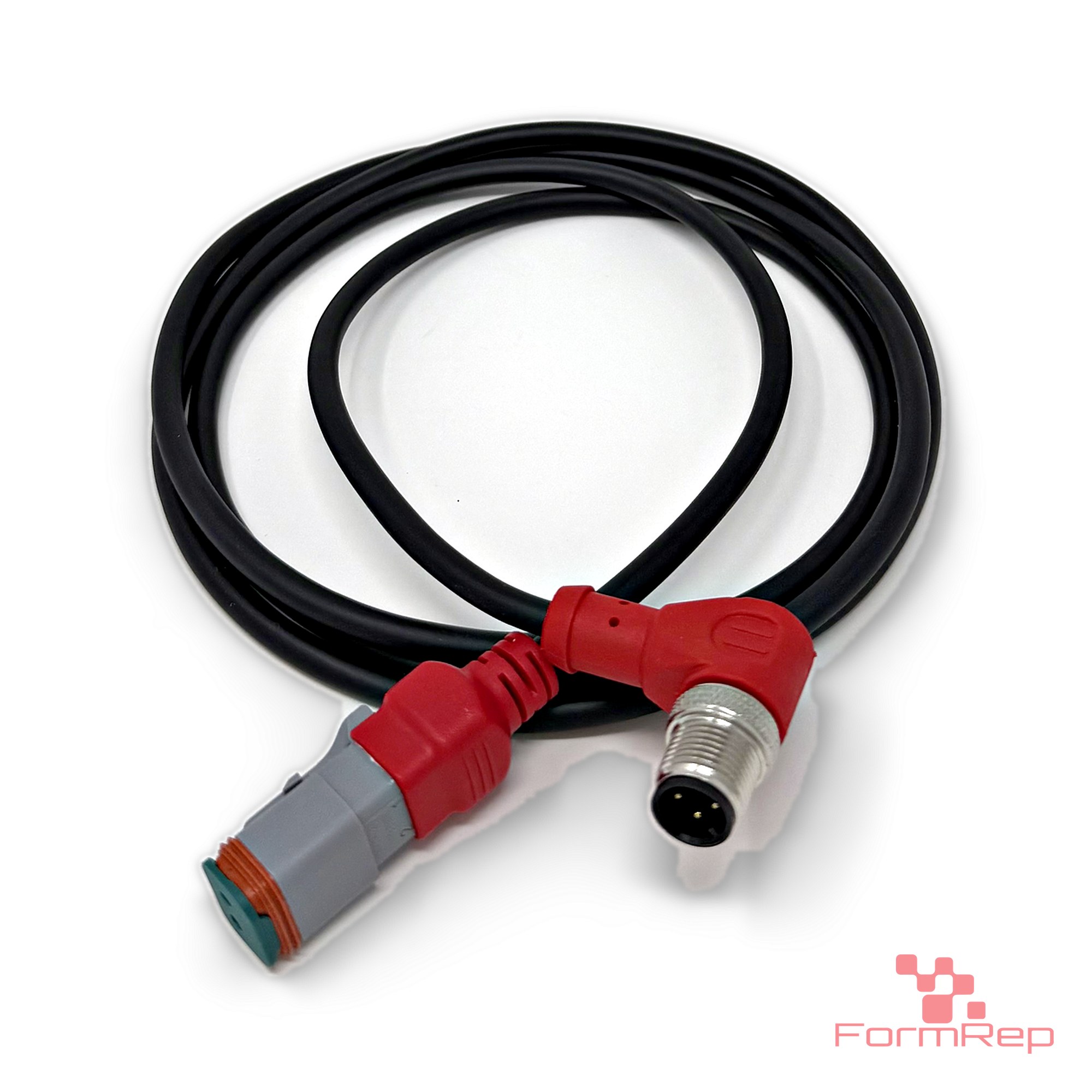
Short answer when your machine harness is DT-style and some of your sensors and I/O are M12, use a molded adapter cable with a DT-style connector on one end and the correct M12 connector on the other. Match the M12 coding, the pin count, the gender, the angle and the pinout. A molded cable replaces a hand splice that would otherwise be done on the machine, and a tested cable takes the guesswork out.
Why the mismatch happens
On a lot of mobile and industrial equipment, the preferred harness connection is DT-style. It is rugged, sealed and easy to service. Sensors, valves and I/O modules come from many different suppliers, though, and a lot of them ship with M12 connectors. Most machines end up with a mix of DT and M12, and something has to connect them.
Three ways to bridge DT and M12
Cut and splice
Cut the connector off, splice to the harness, add heat shrink. It works on the bench. In the field it adds a joint that can wick water, crack with vibration and fail without warning, and it voids the plug-and-play swap the connectors were chosen for.
Build an adapter by hand
Crimp a DT-style connector onto a pre-made M12 cordset. Better than a splice, but every adapter depends on the person building it: crimp quality, seal sizing, pinout. One adapter wired wrong can take an afternoon to find.
Use a molded adapter cable
Both connectors are built onto one cable, sealed and molded, and tested before it ships. Every FormRep cable assembly is 100% tested for opens and shorts, insulation resistance, contact resistance and hi-pot. You plug it in and move on.
What to match when you choose a DT-to-M12 cable
- M12 coding. The coding is a key in the connector face that keeps incompatible devices apart. A-coded is the common choice for sensors, I/O and DC power. D-coded and X-coded are used for Ethernet, B-coded for Profibus, and power codings like S, T and L for power. Your device’s data sheet will say which it uses.
- Pin count. A-coded M12 connectors commonly come in 3, 4, 5, 8 and 12 pins. Sensors and simple I/O usually use 3 or 4.
- Gender. Male (pins) or female (sockets) on each end has to match what it plugs into. On the DT-style side, the plug housing holds sockets and the receptacle holds pins.
- Angle. Straight or right-angle on the M12 end. A right-angle connector keeps the cable tight to a sensor or module where there is no room to bend it.
- Pinout. Which DT pin goes to which M12 pin. A 2-pin DT circuit feeding a 4-pin M12 sensor only uses two of the M12 pins, so the mapping has to be right.
- Cable and length. PUR jacket for oil, abrasion and flexing. Order the length the routing needs; extra cable gets zip-tied in a loop and snagged.
Ready-to-ship DT-to-M12 cables
- DT-compatible 2-pin female to M12 A-coded 4-pin male, 90°, 1.5 m
- DT-compatible 4-pin female to M12 A-coded 4-pin female, straight, 1.0 m
Both use Amphenol AT-series DT-compatible connectors on 18 AWG PUR cable with a molded M12 end.
When the catalog doesn’t have it
Both the DT-style and M12 families come in many variations: pin counts, coding styles, straight or angled heads, and lengths. If your machine needs a combination that isn’t on the shelf, FormRep can build it or modify a standard part to fit. Send the two part numbers it needs to connect, or a sample, and we’ll quote it. See Cable Assemblies & Electronics.
Common questions
Can I plug an A-coded M12 cable into a D-coded device?
No. The coding key stops it physically, and that is on purpose: D-coded ports are for Ethernet, not sensor power.
Do I need shielded cable?
For simple on/off sensors and DC power, usually not. For analog signals in electrically noisy areas, or for data, ask about shielded builds.
What’s the shortest lead time for a made-to-fit cable?
It depends on the connectors and the quantity. Request a quote with what you need, and we’ll give you a date.